
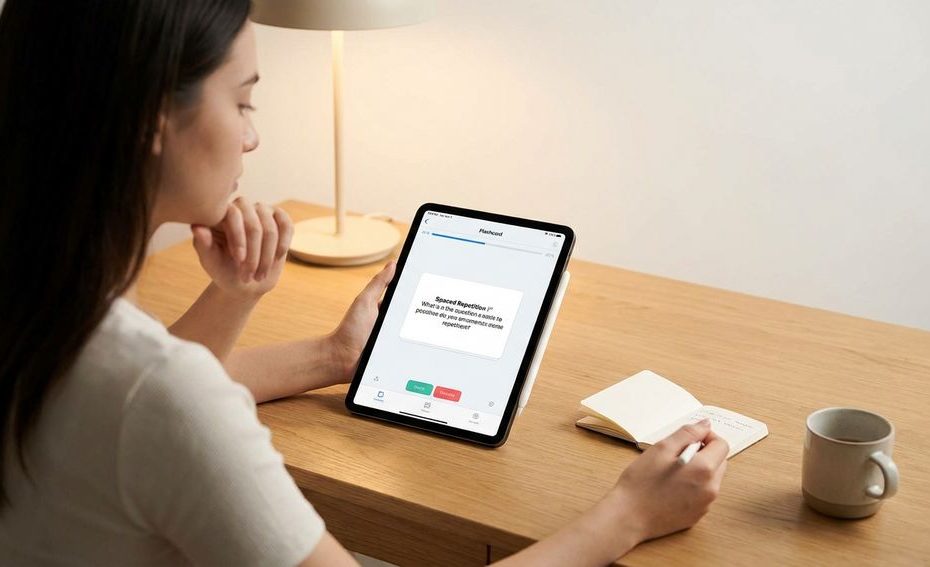
The best flashcard app for spaced repetition and active recall is the one that fits how you study: deep customization for dense exams, guided review for general classes, connected notes for research-heavy learning, or language practice built around real speech. The strongest spaced repetition apps help you retrieve information at the right intervals instead of rereading notes until they feel familiar.
This guide helps you compare the major options without pretending one app wins for every learner. You’ll see how spaced repetition and active recall work, what features matter, and which app fits your goals, budget, device habits, and tolerance for setup.
Why Spaced Repetition And Active Recall Work
Spaced repetition works by scheduling reviews across increasing intervals, so you revisit material before it slips away. Active recall works by forcing you to pull an answer from memory instead of passively recognizing it on a page. Put together, they turn studying into repeated retrieval under timed pressure, which is much closer to how exams and real use work.
This matters because familiar material can trick you. Rereading a chapter may feel productive, but recognition is weaker than retrieval. A flashcard asks you to produce the answer first, then check your response. That small moment of effort is where a lot of learning happens.
Good flashcard software takes the scheduling burden off your plate. You don’t need to decide which card deserves another review tomorrow and which one can wait longer. The app tracks your performance, adjusts intervals, and keeps your review queue focused on cards that need attention.
What To Look For In A Flashcard App
Start with the review system. A true spaced repetition system (SRS) should adjust review timing based on how well you know each card. If an app only lets you flip cards in order, shuffle them, or mark favorites, it may still be useful, but it won’t give you the same scheduling support.
Card creation matters just as much as the algorithm. Look for cloze deletion, image support, audio support, diagrams, and easy editing if your subjects demand more than plain text. Medical school, language learning, law, chemistry, anatomy, and technical certification study all benefit from richer card types. Simple question-and-answer cards still work well when you write them clearly.
Syncing also deserves attention. If you study on a laptop, phone, and tablet, your cards need to move between devices without drama. You should also check export options, deck ownership, and whether the app relies on subscriptions. Lock-in feels minor at the start and painful after you’ve built thousands of cards.
The Best Flashcard Apps At A Glance
The strongest choices divide into a few practical groups. Anki suits learners who want control over algorithms, card templates, media, and add-ons. RemNote suits people who want notes and flashcards in one workspace. Brainscape suits users who prefer simple confidence ratings instead of detailed settings.
Quizlet works well when you want fast access to pre-made study sets and a friendlier interface. Memrise fits language learners who want spaced repetition paired with short clips of native speakers. SuperMemo deserves a mention for learners who care deeply about spaced repetition theory and want to explore one of the original SRS platforms.
Your best choice depends less on popularity and more on friction. If you dread opening the app, the algorithm won’t save your study routine. Pick the tool you can use consistently, then improve your cards over time.
Anki: Most Powerful And Customizable
Anki is the best choice if you want maximum control over spaced repetition, card design, and long-term deck ownership. It uses a modified SuperMemo 2 (SM-2) spaced-repetition algorithm and supports images, audio, video, LaTeX, add-ons, and shared decks. That makes it especially popular for demanding study paths where thousands of cards are normal.
The trade-off is setup time. Anki’s interface can feel dated, and new users often get lost in deck settings, card templates, add-ons, and review options. You can keep it simple at first: create clear question-and-answer cards, review daily, and avoid changing advanced settings until you know what problem you’re solving.
Anki is also strong if you care about portability. Desktop and AnkiDroid are free, and AnkiMobile for iPhone has historically been a paid one-time purchase. You should verify current pricing before buying, since app store details can change. If you’re comparing spaced repetition apps for medical school, technical exams, or serious long-term study, Anki is usually the benchmark.
RemNote: Best For Notes And Flashcards In One Place
RemNote is a better fit if your cards come directly from your notes. It combines markdown-style note-taking with linked flashcards, so you can turn study material into review prompts inside the same workspace. This is useful when your learning process starts with lectures, readings, outlines, or research notes.
The main benefit is reduced switching. You don’t need to write notes in one app, copy facts into another app, then maintain two separate systems. You can build a connected study base where a concept, a note, and a flashcard live together. That can save time if your subjects require layering definitions, relationships, and explanations.
RemNote works best for learners who like structured notes. If you already use bullets, headings, and linked ideas, the app’s style may feel natural. If you only want a fast flashcard deck with minimal setup, it may feel like more workspace than you need.
Brainscape: Easiest Confidence-Based Spaced Repetition
Brainscape is built around confidence-based review. After each card, you rate how well you know it on a scale from 1 to 5, and the app schedules reviews based on that rating. That makes the system easy to understand without digging through complex algorithm settings.
This style is useful if you want active recall but dislike tinkering. You see the prompt, answer from memory, reveal the back, and rate your confidence. The ratings create a simple habit: be honest about weak cards, don’t reward vague recognition, and keep moving through the deck.
Brainscape can suit school subjects, professional study, and general memorization. Its biggest advantage is clarity. If Anki feels like too much control, Brainscape gives you guided repetition with fewer decisions.
Quizlet: Best For Pre-Made Study Sets
Quizlet is a strong choice when speed and pre-made content matter. It offers free basic study sets and a Learn mode that adapts to your progress. Its biggest draw is the large collection of user-generated decks across school subjects, languages, test prep, and general knowledge.
The benefit is convenience. You can search for a topic, preview a deck, and start reviewing quickly. That helps when you’re short on time or studying common material, like vocabulary lists, textbook terms, or course concepts. It also helps beginners who want a friendly interface before committing to a more complex app.
The risk is deck quality. User-generated sets can contain errors, outdated wording, missing definitions, or cards that are too broad. Treat pre-made decks as a starting point, not a source you trust blindly. Edit weak cards, remove duplicates, and compare key facts with your course materials.
Memrise: Best For Language Learning
Memrise is best suited to language learners who want flashcards with real speech exposure. It uses spaced repetition and includes short video clips of native speakers. That makes it different from plain vocabulary apps that only show a word and translation.
Language study often needs more than memorizing definitions. You need sound, usage, rhythm, and repeated exposure to phrases. Memrise supports that by combining review prompts with audio-visual language input. It can help you connect written words to how people actually say them.
Memrise is less ideal if your main goal is building a custom deck for anatomy, law, engineering, or exam-heavy study. It’s designed around language learning first. If that’s your goal, it belongs near the top of your shortlist.
SuperMemo: Best For Advanced Spaced Repetition Enthusiasts
SuperMemo is worth considering if you want to understand spaced repetition at a deeper level. It is one of the original spaced-repetition platforms and remains relevant for advanced users interested in SRS theory. It is not always the easiest entry point, but it has a long history in memory software.
This app suits a specific type of learner. If you enjoy studying how review intervals work, testing scheduling methods, and refining your process, SuperMemo can be appealing. If you simply want to make cards and study on your phone between classes, another app may feel smoother.
Think of SuperMemo as a specialist tool. It is less about quick onboarding and more about deep control over long-term learning. For many users, Anki gives enough power with a larger community around shared decks and add-ons.
Free Vs Paid: What You Actually Need
You do not always need to pay for a flashcard app to get real spaced repetition. Anki’s desktop app and Android app are free, and many learners use them for years without a subscription. Quizlet also offers free basic study sets, though advanced features and plan limits can change.
Paid plans can be worth it when they remove friction. If a subscription gives you better syncing, easier media use, better deck creation, or learning modes you actually use, the cost may save time. If you only need basic active recall and review scheduling, a free tool may be enough.
Before paying, test the workflow. Create a small deck, review it for a week, and see whether the app makes you more consistent. Don’t judge only by feature lists. The best app is the one you can open every day without fighting the interface.
How To Choose Based On Your Study Goals
If you’re studying for dense exams, choose control and durability. Anki is usually the strongest fit because it handles large decks, media, custom templates, and add-ons. It rewards careful setup and consistent review. That makes it a smart pick for long study cycles where memory load keeps growing.
If your study process begins with notes, choose RemNote. It reduces the gap between reading, writing, and reviewing. If you want a simpler guided system, choose Brainscape. If you need pre-made sets fast, Quizlet saves time, provided you check deck accuracy.
If your goal is language learning, choose Memrise or combine tools. Memrise gives you language-first practice with native-speaker clips. Anki can still work well for custom vocabulary, grammar patterns, and sentence cards. The right setup may be one main app plus a small supporting habit, not five apps at once.
Common Flashcard Mistakes That Undo SRS Benefits
The most common mistake is writing cards that are too broad. A card that asks you to explain a whole chapter creates friction every time it appears. Break large ideas into smaller prompts with one clear answer. You should know exactly what counts as correct before you reveal the back.
Another mistake is confusing recognition with recall. If you reveal the answer too quickly and think, “Yes, that looks familiar,” you haven’t tested memory properly. Pause before flipping the card. Say the answer, write it, or picture it clearly before checking.
Backlogs can also ruin the habit. If you skip reviews for many days, the queue can grow until studying feels impossible. Reduce new cards when reviews rise, suspend weak or low-value cards, and fix confusing prompts instead of forcing yourself through them. Spaced repetition works best when the system stays manageable.
Best Flashcard Apps For Quick Comparison
- Anki: customizable SRS
- RemNote: notes plus cards
- Brainscape: confidence ratings
- Quizlet: pre-made sets
- Memrise: language practice
Final Verdict: Pick The App That Reduces Study Friction
The best spaced repetition apps all support the same core habit: retrieve the answer, check it, and return to it at the right time. Choose Anki if you want control, RemNote if your cards come from notes, Brainscape if you want simple confidence-based review, Quizlet if you need pre-made study sets, and Memrise if your main goal is language learning. Don’t overbuild your system before you’ve built the habit. Start with a small deck, review daily, improve weak cards, and let the app handle the timing so your attention stays on learning.
References
- Anki Manual: Background On Spaced Repetition
- Roediger And Karpicke: Test-Enhanced Learning
- Cepeda, Pashler, Vul, Wixted, And Rohrer: Distributed Practice Review
- Anki Official Website
- Anki Manual
- Anki Shared Decks
- AnkiDroid On Google Play
- AnkiMobile Flashcards On The App Store
- Quizlet Official Website
- Quizlet Plans
- RemNote Official Website
- Brainscape Official Website
- Memrise Official Website
- SuperMemo Official Website.

Nirdosh Jagota is Managing Partner at GRQ Biotech Advisors with 30+ years in the biotech industry. A former executive at Amgen, Genentech/Roche, Merck, and Pfizer, he has led >25 NDAs/BLAs/MAAs and hundreds of INDs across global regulatory, quality, and compliance.